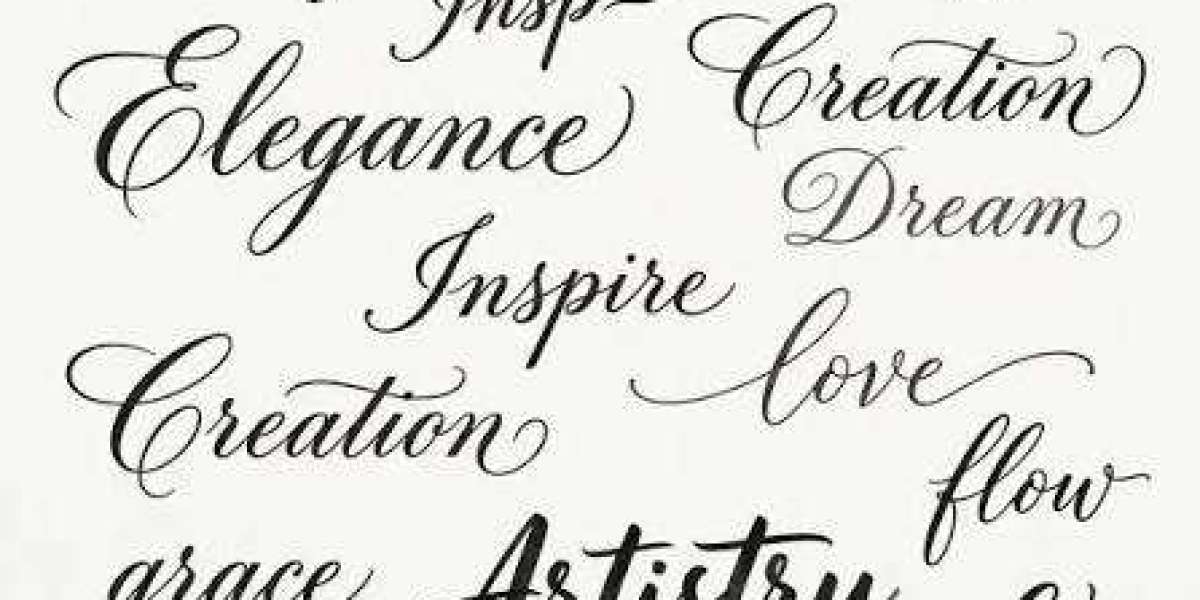

If you have ever seen a TikTok bio or caption filled with bold, cursive, or decorative-looking letters, you may have wondered how those styles were created. In many cases, the answer is Unicode text. Unlike traditional fonts that change the appearance of text through a font file, Unicode styles use different characters that can often be copied and pasted into apps such as TikTok.
Understanding how Unicode text works can help creators use stylish lettering more effectively while avoiding common readability problems.
What Is Unicode Text?
Unicode is a character-encoding standard designed to represent text from languages and writing systems around the world. It includes a huge collection of characters, symbols, and writing forms that computers and mobile devices can recognize.
Some Unicode characters have appearances that resemble bold, italic, script, or decorative lettering. When these characters are placed together, they can make ordinary words look like fancy text.
For example, the regular word:
Creator
can appear in a different Unicode style:
???????
Although the visual appearance changes, the characters themselves are different Unicode characters.
Is Unicode Text the Same as a Font?
Not exactly. This is one of the most important things to understand.
A traditional font changes how existing letters are displayed. For example, the same letter “A” can look different depending on whether you use a serif, sans-serif, or handwritten font.
Unicode fancy text works differently. A text generator substitutes ordinary characters with available Unicode characters that have different visual appearances.
That is why you can often copy fancy text from one website and paste it directly into TikTok without installing anything.
How Does Unicode Text Work on TikTok?
The process is straightforward. You enter ordinary text into an online generator, choose a style, copy the generated characters, and paste them into a TikTok field that accepts text.
For example, you might use stylish text in:
- TikTok bios
- Captions
- Profile descriptions
- Video titles
- Comments where supported
- Short creator taglines
The TikTok app receives the characters as text rather than as an image. Your device then displays them using the characters and fonts it supports.
Using a Unicode Text Generator
Creating Unicode text manually would be inconvenient because there are many characters to search through. Online generators make the process much easier.
With cursivefont.io, you can enter a word or phrase and explore different cursive and decorative text styles. Once you find an option you like, you can copy the generated result and paste it into your TikTok profile or content.
This is particularly useful for creators who want to test different styles without downloading font files or using design software.
Why Creators Use Unicode Text
Stylish Unicode characters can give a TikTok profile a more personalized appearance. A simple bio can look more distinctive when one short phrase uses decorative lettering.
For example:
???? • ????? • ???????
This format can make information easier to separate visually while adding personality.
Unicode text is also convenient because it is generally easy to copy and paste. Creators can experiment with different styles and change them whenever they want.
Things to Keep in Mind
Unicode text has some limitations. Not every character is supported equally across devices, apps, and operating systems. A character that looks perfect on one device may appear differently somewhere else.
Readability is another important consideration. Some decorative styles can be difficult to understand, especially when used for long sentences.
For this reason, fancy Unicode text works best for short phrases, names, headings, and creative accents. Keep detailed information in regular text whenever possible.
Tips for Using Unicode Text on TikTok
Start with a simple style and check how it looks after pasting it into TikTok. If the letters are difficult to recognize, try another option.
You should also avoid using too many decorative symbols. A few carefully chosen characters can make your profile look polished, while excessive decoration may make it feel cluttered.
It is also useful to keep your style consistent. If you choose a particular cursive style for your bio, you can use a similar look for Highlight-style categories or recurring creator phrases on other platforms.
Final Thoughts
Unicode text provides a simple way to experiment with stylish lettering on TikTok. Instead of installing traditional fonts, creators can use Unicode characters that resemble different writing styles and copy them directly into supported text fields.
The process is quick: type your words, choose a style, copy the result, and paste it where you want it. Tools such as cursivefont.io make exploring these options much easier for anyone who wants to add a creative touch to their TikTok presence.
Just remember to prioritize readability. Stylish text should enhance your profile and content, not make the message harder to understand.