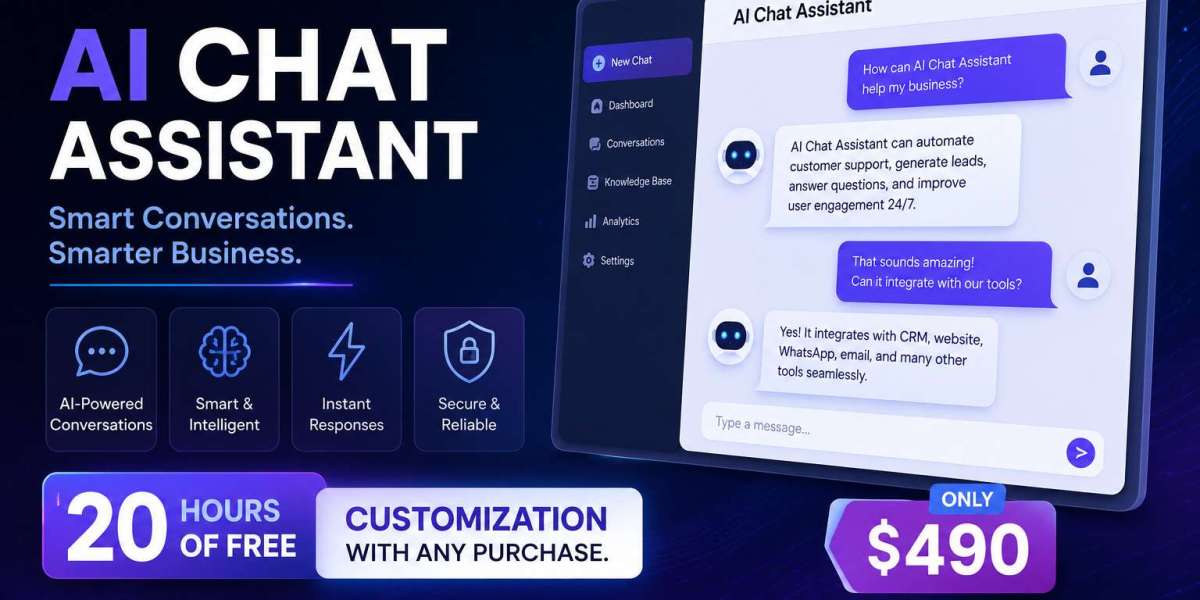

Launching a chatbot without a checklist is how businesses end up with a bot that greets customers with the wrong hours or can't answer its most basic question. A proper AI chatbot go-live checklist for local businesses prevents that embarrassing first impression and makes sure your investment actually performs from day one.
Start with your business information audit. Before configuring anything, gather your current hours, service list, pricing ranges, service areas, and policies in one document. This becomes the source material your chatbot draws from, and outdated or missing details here cause most early chatbot mistakes.
Next, define your chatbot's core identity and tone. Decide whether it should sound formal and professional or warm and casual, based on your industry and audience. This step belongs early in any chatbot go-live checklist for local businesses because tone shapes every other prompt you write afterward.
Map your top 15-20 customer questions. Pull these from past emails, calls, and messages — the questions you already answer manually every week. These become your chatbot's FAQ foundation, ensuring it handles real customer needs instead of guessing what visitors might ask.
Build your lead-qualification flow next. Decide what information matters most before your team should follow up — service needed, timeline, budget range, or location — and structure the chatbot's questions to collect it naturally, without feeling like an interrogation.
Set your escalation rules clearly. Determine exactly when the chatbot should hand off to a human, whether that's a specific keyword like "refund" or "urgent," or simply when it's uncertain about an answer. This step protects customer experience and prevents the bot from overpromising.
Configure after-hours messaging honestly. Decide what happens when someone messages outside business hours — does the bot collect details for next-day follow-up, or offer a WhatsApp option for urgent matters? Clarity here avoids frustrated customers expecting an instant response overnight.
Test the chatbot yourself before it goes live. Walk through the exact questions a real customer would ask, using different phrasings and even typos. Anyone building an AI chatbot launch checklist should treat this testing phase as non-negotiable, since it's the last chance to catch awkward or inaccurate responses.
Check your integrations. Confirm that captured leads flow correctly into your email, CRM, or WhatsApp so your team actually sees new inquiries instead of them sitting unused inside the chatbot dashboard.
Review mobile responsiveness and placement. Most website visitors browse on their phones, so confirm the chat widget doesn't block content, loads quickly, and looks intentional rather than intrusive on smaller screens.
Prepare your team for the handoff process. Make sure whoever receives qualified leads knows how quickly to respond and what context the chatbot has already gathered, so follow-ups feel informed rather than repetitive.
Set up basic analytics before you go live, not after the fact. Confirm you can see conversation volume, common topics, and drop-off points from day one, since comparing your first week of data to your fifth week is far more useful than starting to track only after you notice something feels off. This step is easy to skip when you're excited to launch, but it's the only way to actually measure whether your checklist worked.
Decide who owns the chatbot internally. Even a great AI chatbot launch checklist falls apart if no one is responsible for reviewing transcripts, updating FAQs, or answering escalated conversations. Assign this to a specific person, even in a small business, rather than leaving it as everyone's job and therefore no one's.
Draft a short internal reference sheet for your own team too. When a lead gets handed off, whoever follows up should know exactly what the chatbot already asked and answered, so the customer doesn't have to repeat themselves. A one-page internal guide explaining how leads arrive, what information they include, and how quickly to respond keeps the whole handoff process smooth from the very first day.
Following a structured chatbot launch checklist also means planning your first-week review. Schedule time a few days after launch to read actual conversation transcripts, catch any confusing exchanges, and adjust prompts based on real behavior rather than assumptions made during setup.
Zipprr AI Chat supports this entire rollout process, from initial configuration through 90 days of free technical support, making it easier to work through each step of your chatbot pre-launch checklist without getting stuck on technical details.
Finally, set a recurring review cadence — monthly at first, then quarterly once things stabilize. A chatbot isn't a "set it and forget it" tool; it improves the more you refine it based on real conversations. Treating your chatbot launch checklist as the start of an ongoing process, not a one-time task, is what separates businesses getting real value from those who launch once and never look back.
FAQ (8)
1. What's the most commonly skipped step in a chatbot launch checklist?
Testing with real, varied phrasing before going live — many businesses only test with the exact wording they wrote the prompts around.
2. How long should the pre-launch phase take?
For most small businesses, a thorough checklist process takes a few days to a week, depending on how much FAQ content needs gathering.
3. Should I involve my team in the checklist process?
Yes — frontline staff know the real questions customers ask and can flag gaps in your FAQ list before launch.
4. What if I launch and find issues afterward?
That's normal and expected. With lifetime updates and 90 days of free support included with Zipprr AI Chat, adjustments after launch are straightforward.
5. Do I need a separate checklist for each location?
For multi-location businesses, it's smart to verify location-specific details like hours and service areas even if the core chatbot setup is shared.
6. How do I know if my escalation rules are working?
Review early conversation transcripts for moments where the bot should have handed off to a human but didn't, then adjust the triggers.
7. Is mobile testing really necessary?
Yes — most visitors interact with chat widgets on mobile, so a checklist that skips mobile testing misses how most customers will actually experience it.
8. What comes after the initial launch checklist?
Ongoing review. Check transcripts monthly, update FAQs as your services change, and refine qualifying questions based on real lead quality.
CTA
Ready to work through your own launch checklist? Start configuring Zipprr AI Chat and get your chatbot live the right way, the first time.